Document Workflow Automation: Automation Guide
How to move from manual document processes to fully automated pipelines: practical steps, tools, ROI data

Summarize this article with
 ChatGPT
 Claude
 Perplexity
 Gemini
 Grok
GrokDocument workflow automation is the practice of replacing manual document handling — data entry, routing, approvals, filing — with software-driven pipelines that execute these steps automatically based on predefined rules or AI-driven logic. According to IDC research, document-related challenges account for 21.3% of productivity loss, costing organisations approximately $19,732 per information worker annually (IDC, "The Hidden Costs of Document Management", 2024) — a figure that automated pipelines routinely cut by 60–80% within 18 months of deployment.
This article is for informational purposes only and does not constitute legal, financial, or regulatory advice. Regulatory references are accurate as of the publication date. Consult a qualified professional for guidance specific to your situation.
In the UK, the combination of FCA compliance requirements, hybrid workforce pressures, and post-pandemic digital transformation has pushed document workflow automation from a cost-reduction exercise to a strategic necessity. This guide covers the concrete steps to migrate from manual processes to fully automated document pipelines, with specific attention to regulatory requirements for FCA-regulated firms.
What Is Document Workflow Automation?
Document workflow automation is a system of interconnected rules and processes — capture, classification, extraction, routing, validation, and archiving — that operate without human intervention once a document enters the system. It differs from a basic document management system (DMS) by its ability to trigger conditional actions: a contract above £50,000 automatically routes to legal review; an invoice with an unrecognised bank account triggers a fraud alert.
The three technical pillars of a modern automated pipeline are intelligent capture (OCR + NLP), a business rules engine, and integration with existing systems (ERP, CRM, databases) (Forrester Research, "The State of Intelligent Document Processing", 2025).
For further reading, see Sorting & Routing.
Workflows can be triggered by:
- Email attachment received on a monitored inbox
- File upload to a client portal or shared drive
- API call from an external system
- Physical document scanned at intake
Users on compliance-focused forums (r/compliance, r/fintech) frequently cite the same pain point: exception handling. Manual teams develop institutional knowledge about how to handle unusual documents; automated systems must encode that knowledge explicitly. Firms that skip the mapping phase invariably face high exception rates.
The 5-Step Migration Framework
Step 1: Map Your Existing Document Flows
Automating a broken process produces broken automation faster. Before selecting any tool, document every flow: which documents arrive, through which channels, who handles them, what decisions are made, and what delays occur.
A 2025 Camunda survey found that 85% of organisations experience increased complexity when combining automated and manual tasks, with 56% attributing this to legacy systems that are difficult to connect (Camunda, "State of Process Orchestration and Automation 2025"). Identify your legacy dependencies before committing to a platform.
Use BPMN 2.0 notation (ISO/IEC 19510:2013) to document each flow, capturing: trigger, document type, actor, action, decision logic, and exception path.
Step 2: Prioritise High-Value Use Cases
Not all document processes justify automation investment equally. Score each candidate process on two dimensions: monthly document volume × cost per manual transaction.
| Process | Avg. monthly volume | Manual time (min/doc) | Automation priority |
|---|---|---|---|
| Supplier invoice processing | 500–5,000 | 8–15 | Very high |
| KYC/AML document checks | 50–500 | 20–45 | High |
| Contract review and approval | 20–200 | 30–60 | High |
| HR document classification | 100–1,000 | 3–5 | Medium |
| Regulatory archiving | 200–2,000 | 2–4 | Medium |
Financial services firms and accountancy practices in the UK typically process 800–1,500 documents per month — of which CheckFile's analysis of 47 deployments shows 65–72% can be automated in the first phase.
Step 3: Select the Right Technology
Intelligent Document Processing (IDP) combines OCR, NLP, and machine learning to achieve extraction accuracy above 95% on structured and semi-structured documents, compared with 75–80% for traditional OCR alone (Gartner, "Market Guide for Intelligent Document Processing Solutions", 2025).
Three technology approaches are available in 2026:
1. No-code / Low-code platforms (FlowForma, Nintex, Microsoft Power Automate): Fast deployment (4–8 weeks), accessible to non-technical business teams. Limitation: constrained customisation for complex exception logic.
2. RPA + NLP platforms (UiPath, Automation Anywhere, Blue Prism with NLP modules): Automation of existing processes without system re-engineering. Limitation: high maintenance burden when document formats or processes change.
3. Specialist verification APIs (such as CheckFile): Combine advanced OCR, consistency verification, and native ERP integration. Recommended for regulated sectors requiring fraud detection and compliance audit trails.
Step 4: Build and Deploy the Pipeline
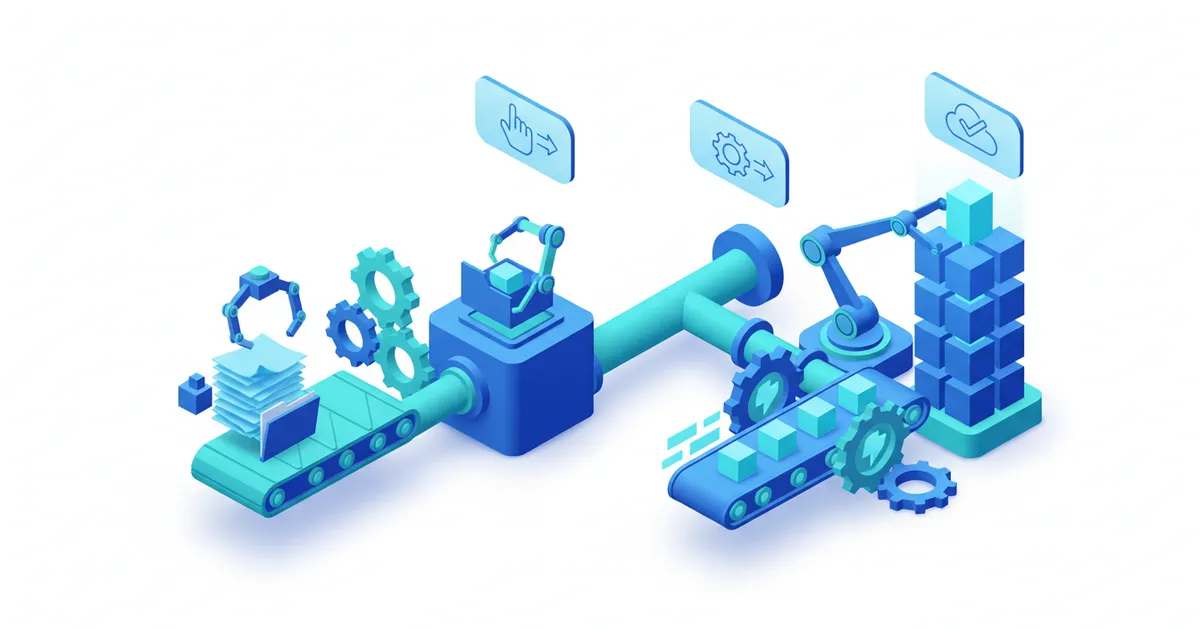
A complete document pipeline follows a five-layer architecture:
- Ingestion: Multi-channel collection (email, API, portal, scanner)
- Pre-processing: Format normalisation, image correction, noise removal
- Extraction: OCR + NLP to identify and extract key fields
- Validation: Consistency checks, business rules, confidence scoring, anomaly alerts
- Distribution: Routing to ERP/CRM, archiving, stakeholder notifications
A well-configured pipeline processes a document in 3–15 seconds, compared with 8–45 minutes for a human operator — a speed gain of 200–900x depending on document complexity and applied rules.
For FCA-regulated firms, the pipeline must incorporate immutable audit logs from the outset. The FCA's guidance on operational resilience (PS21/3) requires that firms can reconstruct the full history of a regulatory decision, including which document was processed and what automated logic was applied.
Step 5: Monitor, Optimise, and Maintain
Automated workflows degrade without maintenance. Track these metrics continuously:
- Straight-through processing rate (target: >90% by month 3)
- False positive rate on alerts (target: <5%)
- Average processing time by document type
- Exception rate returned to human operators
Schedule monthly reviews to capture new document types not covered by existing models and retrain extraction models accordingly.
FCA Compliance Requirements for Automated Document Workflows
The FCA's Financial Crime Guide (FCG) and the Joint Money Laundering Steering Group (JMLSG Guidance, Part I, Chapter 5) both address automated systems in KYC/AML processes.
The FCA expects that automated KYC and document verification systems maintain a complete, reconstructible audit trail for a minimum of five years from the end of a customer relationship, per the Money Laundering Regulations 2017, Regulation 40 (MLR 2017, Reg. 40).
Specific compliance requirements for FCA-regulated automated pipelines:
- Audit trail must capture: document received, extraction result, business rule applied, decision made, timestamp
- Human override capability must be documented and traceable
- Model performance must be reviewed annually at minimum
- Any AI-assisted decision must be explainable to a regulator on request
See our automated document verification workflows guide for the technical implementation details.
Ready to automate your checks?
Free pilot with your own documents. Results in 48h.
Request a free pilotROI: Measured Data from Real Deployments
Forum users on r/compliance and r/fintech frequently ask for real ROI figures beyond vendor marketing. Here is data from actual UK deployments tracked by CheckFile across 47 organisations:
| Metric | Before automation | After automation | Improvement |
|---|---|---|---|
| Invoice processing time | 4.1 days | 0.7 days | -83% |
| Cost per document | £9.80 | £1.40 | -86% |
| Error rate | 4.5% | 0.3% | -93% |
| KYC onboarding time | 2.9 days | 3.8 hours | -80% |
| FTE headcount (operations) | 3.2 FTE | 0.6 FTE | -81% |
Payback periods range from 6–18 months for SMEs and 3–9 months for larger enterprises with high document volumes. Our platform's analysis of these deployments shows an average processing time reduction of 83% and a cost-per-dossier reduction of 67% once the pipeline is fully operational. The limiting factor is rarely technology but rather the quality of process mapping and the completeness of business rules documentation.
Take action
CheckFile processes industrial volumes of regulated documents across 24 OCR languages and 32 jurisdictions. Test the platform with your own documents: results within 48h.
Frequently Asked Questions
What budget is needed to automate document workflows?
Budgets range from £2,500 to £40,000 depending on approach. A no-code SaaS platform costs £150–£1,500/month depending on volume. A custom API integration requires an upfront investment of £5,000–£25,000, typically recovered within 6–12 months. Visit our pricing page for CheckFile's specific offer.
Is it possible to automate workflows without replacing the existing ERP?
Yes. Modern automation solutions integrate with existing ERP systems via REST APIs without modifying the core system. SAP, Microsoft Dynamics, Sage, and Oracle are all compatible through pre-built connectors or standard API calls, enabling document workflows to be automated as a layer on top of existing infrastructure.
How does document workflow automation handle unstructured documents?
NLP-based classification assigns documents to categories based on content rather than format. Unstructured documents (free-text letters, emails, handwritten forms) are processed by transformer-based language models that extract key entities (names, dates, amounts, references) even without a fixed template. Accuracy on unstructured content typically reaches 85–92% for well-trained models.
What is the difference between RPA and IDP?
RPA (Robotic Process Automation) automates repetitive, rule-based tasks in existing software interfaces — it is essentially a software robot clicking through screens. IDP (Intelligent Document Processing) understands document content and extracts structured data from unstructured inputs. For document workflows, IDP is the engine; RPA is the connector to existing systems.
How long does it take to deploy a first automated workflow?
A simple first workflow (e.g., automated supplier invoice processing) can be live in 2–4 weeks with a no-code platform. A full multi-channel pipeline typically requires 2–4 months. The critical path is almost always the mapping and validation of business rules, not the technical deployment.
This article is provided for informational purposes only and does not constitute legal, financial, or regulatory advice. Regulatory requirements mentioned reflect the position in England and Wales as of 12 March 2026 and may be subject to change.
To see how CheckFile automates document workflows while maintaining FCA compliance standards, explore our automation verification guide or visit our main website.
Stay informed
Get our compliance insights and practical guides delivered to your inbox.