Document Validation: API, Webhooks, and ERP
Technical guide to connecting document validation to Salesforce, SAP, or custom tools via REST API and webhooks. Architecture patterns and code examples.

Summarize this article with
 ChatGPT
 Claude
 Perplexity
 Gemini
 Grok
GrokDocument validation should never operate as an isolated silo. When an operator manually uploads files to a standalone tool, copies results into a CRM, then updates an ERP, every step introduces delay, error risk, and broken audit trails. For organizations processing hundreds of files per month, this manual workflow becomes a genuine bottleneck.
This article is for informational purposes only and does not constitute legal, financial, or regulatory advice. Regulatory references are accurate as of the publication date. Consult a qualified professional for guidance specific to your situation.
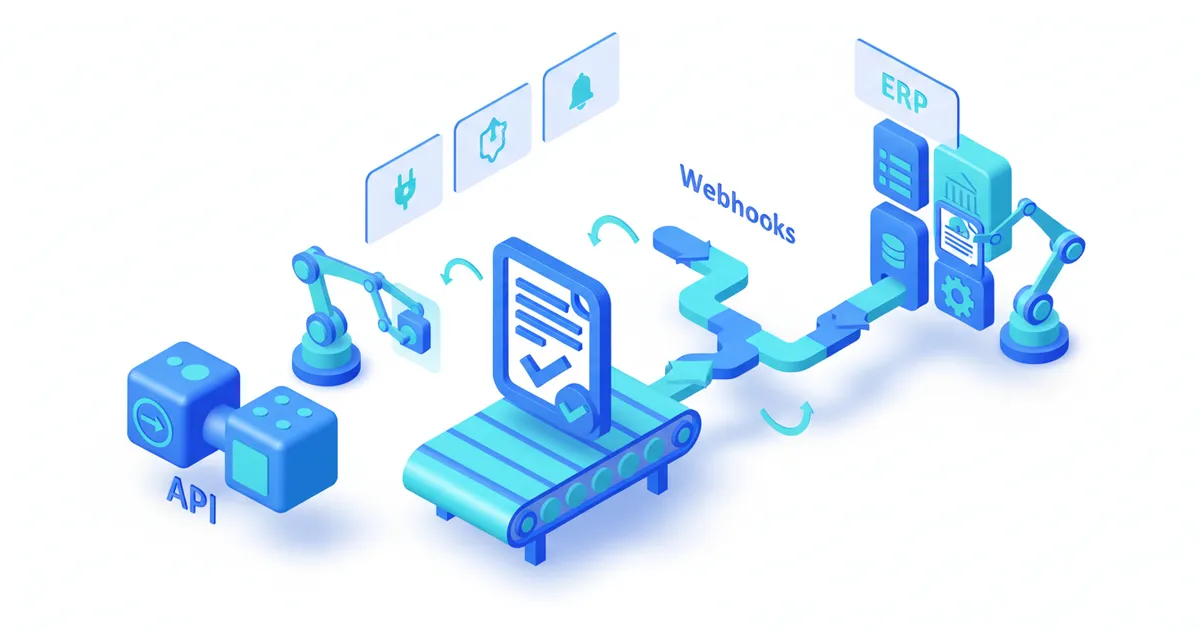
This article details three integration patterns that connect CheckFile directly to your information system -- whether that is Salesforce, SAP, a custom CRM, or an internal workflow engine. You will find architecture diagrams, working code examples, and best practices drawn from real-world deployments. If you are looking for the endpoint reference first, see the API guide.
Why document validation must not remain a standalone tool
A validation tool that lives outside your core systems creates three structural problems.
Workflow disruption. The operator leaves their primary environment (CRM, ERP, internal portal) to use a separate tool. Each round-trip costs 2 to 5 minutes per file. At 500 files per month, that adds up to 25 to 40 lost hours.
Broken audit trails. Validation results are not linked to the client record in the system of reference. During an audit, the chain must be reconstructed manually: who validated what, when, with what outcome.
Transcription errors. When an operator manually copies a document status from the validator to the CRM, the error rate sits between 2 and 5 percent. At 10,000 files per year, that means 200 to 500 records with inconsistent status.
Direct integration eliminates all three. The rest of this article explains how to implement it.
Three integration patterns
The right pattern depends on document volume, acceptable latency, and your team's technical maturity.
CheckFile processes industrial volumes of regulated documents across 24 OCR languages and 32 jurisdictions.
| Pattern | Use case | Latency | Complexity |
|---|---|---|---|
| Batch upload | Initial migration, monthly reprocessing | Minutes to hours | Low |
| Real-time API | Client onboarding, self-service portal | 2-15 seconds | Medium |
| Event-driven webhooks | Automated pipeline, ERP integration | Near-instant (push) | Medium to high |
Pattern 1 -- Batch upload
Batch upload fits when latency is not critical: migrating a document archive, periodic reprocessing, or nightly data warehouse feeds.
The principle is straightforward: deposit a set of files via the batch endpoint, then retrieve results once processing completes.
# Upload a batch of 3 documents
curl -X POST https://api.checkfile.ai/api/v1/files/batch \
  -H "X-API-Key: ck_live_your_key" \
  -F "files[]=@invoice_001.pdf" \
  -F "files[]=@company_registration.pdf" \
  -F "files[]=@bank_details.pdf" \
  -F "dossier_id=DOS-2026-0042" \
  -F "callback_url=https://your-app.com/webhooks/checkfile"
The server returns a batch identifier immediately:
{
  "batch_id": "bat_7f3a9c2e",
  "file_count": 3,
  "status": "queued",
  "estimated_completion": "2026-02-21T14:35:00Z"
}
You can then poll the batch status or wait for the completion webhook.
Pattern 2 -- Real-time API
This is the most common pattern for interactive applications: a user uploads a document, your application sends it to CheckFile, waits for the result, and displays it. The full endpoint reference is covered in the API guide.
# Upload a single document
curl -X POST https://api.checkfile.ai/api/v1/files \
  -H "X-API-Key: ck_live_your_key" \
  -H "Idempotency-Key: upload-dos042-registration" \
  -F "file=@company_registration.pdf" \
  -F "document_type=company_registration" \
  -F "rules=freshness_90d,company_number_match"
Response:
{
  "file_id": "fil_8b2c4d1e",
  "status": "processing",
  "created_at": "2026-02-21T14:22:03Z"
}
Then poll for status:
curl https://api.checkfile.ai/api/v1/files/fil_8b2c4d1e/status \
  -H "X-API-Key: ck_live_your_key"
Pattern 3 -- Event-driven webhooks
Webhooks invert the flow: instead of polling the API, CheckFile notifies your system as soon as processing completes. This is the recommended pattern for automated pipelines and ERP integrations.
The advantage is twofold: minimal latency (push notification within seconds) and zero wasted polling traffic.
Webhook architecture in depth
Registering a webhook endpoint
curl -X POST https://api.checkfile.ai/api/v1/webhooks \
  -H "X-API-Key: ck_live_your_key" \
  -H "Content-Type: application/json" \
  -d '{
    "url": "https://your-app.com/webhooks/checkfile",
    "events": ["file.validated", "file.rejected", "batch.completed"],
    "secret": "whsec_your_signing_secret"
  }'
Webhook payload: document validated
When a document passes all validation rules, CheckFile sends a POST to your endpoint with the following payload:
{
  "event": "file.validated",
  "timestamp": "2026-02-21T14:22:18Z",
  "data": {
    "file_id": "fil_8b2c4d1e",
    "dossier_id": "DOS-2026-0042",
    "document_type": "company_registration",
    "status": "validated",
    "confidence_score": 0.97,
    "extracted_fields": {
      "company_name": "ACME Industries Ltd",
      "company_number": "12345678",
      "incorporation_date": "2019-03-15",
      "registered_address": "42 King Street, London EC2V 8AT",
      "director": "Jane Smith",
      "document_date": "2026-01-28"
    },
    "rules_results": [
      {
        "rule": "freshness_90d",
        "status": "passed",
        "detail": "Document dated 28/01/2026, valid until 28/04/2026"
      },
      {
        "rule": "company_number_match",
        "status": "passed",
        "detail": "Company number 12345678 matches dossier record"
      }
    ],
    "processing_time_ms": 3420
  }
}
Webhook payload: document rejected
{
  "event": "file.rejected",
  "timestamp": "2026-02-21T14:23:05Z",
  "data": {
    "file_id": "fil_9c3d5e2f",
    "dossier_id": "DOS-2026-0042",
    "document_type": "bank_statement",
    "status": "rejected",
    "confidence_score": 0.42,
    "rejection_reasons": [
      {
        "rule": "iban_valid",
        "status": "failed",
        "detail": "IBAN GB29 NWBK 6016 ... : check digits invalid"
      },
      {
        "rule": "account_holder_match",
        "status": "failed",
        "detail": "Account holder 'Oakwood Properties Ltd' does not match 'ACME Industries Ltd'"
      }
    ],
    "processing_time_ms": 2180
  }
}
Handling the webhook in Python
from flask import Flask, request, abort
import hmac
import hashlib

app = Flask(__name__)
WEBHOOK_SECRET = "whsec_your_signing_secret"

def verify_signature(payload: bytes, signature: str) -> bool:
    expected = hmac.new(
        WEBHOOK_SECRET.encode(),
        payload,
        hashlib.sha256
    ).hexdigest()
    return hmac.compare_digest(f"sha256={expected}", signature)

@app.route("/webhooks/checkfile", methods=["POST"])
def handle_webhook():
    # 1. Verify signature
    signature = request.headers.get("X-CheckFile-Signature", "")
    if not verify_signature(request.data, signature):
        abort(401)

    event = request.json
    event_type = event["event"]
    data = event["data"]

    # 2. Route by event type
    if event_type == "file.validated":
        update_crm_document_status(
            dossier_id=data["dossier_id"],
            document_type=data["document_type"],
            status="validated",
            extracted_fields=data["extracted_fields"]
        )
    elif event_type == "file.rejected":
        trigger_operator_alert(
            dossier_id=data["dossier_id"],
            reasons=data["rejection_reasons"]
        )
    elif event_type == "batch.completed":
        finalize_dossier(data["batch_id"])

    # 3. Respond 200 quickly
    return {"received": True}, 200
Handling the webhook in Node.js
const express = require("express");
const crypto = require("crypto");

const app = express();
const WEBHOOK_SECRET = "whsec_your_signing_secret";

app.post("/webhooks/checkfile", express.raw({ type: "application/json" }), (req, res) => {
  // Verify signature
  const signature = req.headers["x-checkfile-signature"] || "";
  const expected = `sha256=${crypto
    .createHmac("sha256", WEBHOOK_SECRET)
    .update(req.body)
    .digest("hex")}`;

  if (!crypto.timingSafeEqual(Buffer.from(signature), Buffer.from(expected))) {
    return res.status(401).send("Invalid signature");
  }

  const event = JSON.parse(req.body);

  switch (event.event) {
    case "file.validated":
      updateCrmStatus(event.data);
      break;
    case "file.rejected":
      notifyOperator(event.data);
      break;
    case "batch.completed":
      finalizeDossier(event.data);
      break;
  }

  res.json({ received: true });
});
Ready to automate your checks?
Free pilot with your own documents. Results in 48h.
Request a free pilotERP integration patterns by platform
Salesforce
The most common Salesforce integration uses an Apex Trigger or Flow triggered by the CheckFile webhook. The typical architecture:
- Lightweight middleware (Heroku, AWS Lambda, or MuleSoft) receives the CheckFile webhook.
- The middleware calls the Salesforce REST API to update the
Document__corContentVersionobject. - A Salesforce Flow reacts to the update and triggers downstream business logic (sales rep notification, pipeline stage advancement).
| Component | Role | Technology |
|---|---|---|
| Webhook receiver | Receives and validates CheckFile payload | Lambda / Cloud Function |
| Salesforce connector | Writes to SF objects via REST API | OAuth 2.0 + Connected App |
| Automation layer | Triggers business logic | Salesforce Flow / Apex |
SAP
For SAP S/4HANA or SAP Business One, two approaches coexist:
Via SAP Integration Suite (formerly CPI). An iFlow receives the webhook, transforms the payload into an IDoc or OData entity, and injects it into SAP. This approach is preferred by SAP Basis teams because it stays within the SAP ecosystem.
Via generic middleware. A Python or Node.js connector receives the webhook and calls the SAP OData API directly. Faster to set up, but requires managing SAP authentication (OAuth or Basic Auth with client certificates).
Custom CRM or internal tool
For internal tools, the webhook is the most direct method. Your backend receives the payload, extracts relevant fields, and updates your database. No additional middleware is needed.
# Example: direct database update after webhook reception
def update_crm_document_status(dossier_id, document_type, status, extracted_fields):
    db.execute(
        """
        UPDATE documents
        SET validation_status = %s,
            extracted_data = %s,
            validated_at = NOW()
        WHERE dossier_id = %s AND document_type = %s
        """,
        (status, json.dumps(extracted_fields), dossier_id, document_type)
    )

    # Check if all documents in the dossier are validated
    pending = db.fetchone(
        "SELECT COUNT(*) FROM documents WHERE dossier_id = %s AND validation_status = 'pending'",
        (dossier_id,)
    )
    if pending[0] == 0:
        mark_dossier_complete(dossier_id)
Authentication and security
API integration within an enterprise IT system demands stronger security guarantees than a prototype.
API key best practices
- One key per environment. Development (
ck_test_), staging, production (ck_live_). Never share a key across environments. - Regular rotation. Rotate keys every 90 days. The API supports two active keys simultaneously so you can rotate without downtime.
- Secure storage. Use Vault (HashiCorp), AWS Secrets Manager, or Azure Key Vault. Never store keys in plain text in source code or in a committed
.envfile. Follow OWASP API Security best practices for key management and transport security. The NIST Cybersecurity Framework (CSF 2.0) provides additional guidance on access control and secret management for production API integrations.
Webhook verification
Every webhook is signed with your secret (whsec_...). Always verify the HMAC-SHA256 signature before processing the payload. The code examples above show the implementation in both Python and Node.js.
Network restrictions
For the most sensitive environments, combine two measures:
- IP whitelisting. Restrict your webhook endpoint to CheckFile IP ranges (available in the technical documentation).
- mTLS. On the Enterprise plan, enable mutual TLS authentication so that CheckFile presents a client certificate to your server.
For details on service tiers and security options, see pricing.
Error handling and retry strategies
Production integrations must handle three categories of errors.
Transient errors (5xx, timeout)
CheckFile automatically retries webhooks on failure. The retry schedule follows exponential backoff:
| Attempt | Delay after failure |
|---|---|
| 1 | 30 seconds |
| 2 | 2 minutes |
| 3 | 10 minutes |
| 4 | 1 hour |
| 5 | 6 hours |
After 5 failures, the webhook is marked as "failed" and an email alert is sent. You can replay failed webhooks manually from the dashboard.
Business validation errors
A rejected document is not a technical error. Your code must clearly distinguish the two cases:
if event_type == "file.rejected":
    # This is NOT a technical error -- it is a business outcome
    # Do not retry; notify the operator
    notify_operator(data["rejection_reasons"])
Idempotency
Your webhook endpoint must be idempotent. CheckFile may resend the same event in case of a network timeout. Use the file_id field as an idempotency key:
if db.exists("SELECT 1 FROM webhook_events WHERE file_id = %s", (data["file_id"],)):
    return {"received": True}, 200  # Already processed, skip

db.insert("webhook_events", file_id=data["file_id"], processed_at=now())
# ... normal processing
Performance: async processing and batch optimization
Asynchronous processing
For high volumes (more than 100 documents per day), do not process webhooks synchronously in the HTTP handler. Use a message queue instead:
- The webhook handler validates the signature and drops the payload into a queue (RabbitMQ, SQS, Redis Streams).
- A worker consumes the queue and performs slow operations (ERP writes, notifications).
- The handler responds with 200 in under 500 ms, avoiding timeouts.
Batch optimization
For migrations or bulk reprocessing, the batch endpoint delivers better performance than a series of individual uploads:
| Approach | 1,000 documents | API requests |
|---|---|---|
| Individual upload | ~45 minutes | 1,000 POST + 1,000 GET |
| Batch (groups of 50) | ~12 minutes | 20 POST + 20 GET |
Monitoring and observability
A production integration without monitoring is a ticking time bomb. Three levels of observability are essential.
Operational metrics
- Webhook success rate: percentage of webhooks received and processed without error. Target: > 99.5%.
- Processing latency: time between upload and webhook delivery. Target: < 15 seconds for 95% of documents.
- Document rejection rate: if this rate exceeds 30%, it signals a quality issue with documents submitted upstream.
Alerts
Configure alerts for:
- Webhook endpoint unavailable (5 consecutive failures)
- Processing latency > 30 seconds (p95)
- Rejection rate > baseline + 2 standard deviations
Structured logging
Log every event with structured logs (JSON) including file_id, dossier_id, event_type, processing_time_ms, and status. These logs feed your SIEM and simplify compliance audits. For organisations subject to EU regulations, the GDPR (Regulation 2016/679) requires that processing activities involving personal data be logged and traceable, making structured logging not just an operational best practice but a regulatory obligation. The ISO 27001:2022 standard on information security management provides a comprehensive framework for audit logging and monitoring controls.
Migration path: from manual upload to fully automated pipeline
Migrating to full integration does not happen overnight. Here is a progressive path in four stages.
Stage 1 -- Web interface (week 1). Use the CheckFile dashboard to validate your first documents manually. Objective: confirm business rules and document types.
Stage 2 -- Real-time API (weeks 2-3). Integrate the upload API into your application. Operators no longer leave their primary tool, but the process is still manually initiated.
Stage 3 -- Webhooks (weeks 4-5). Activate webhooks to receive results automatically. Your CRM/ERP is updated without human intervention. Operator work is limited to rejected files.
Stage 4 -- Fully automated pipeline (weeks 6-8). Documents are uploaded automatically upon receipt (email parser, client portal, scanner). Webhooks feed the ERP. Operators only handle exceptions.
At each stage, you can measure time savings and error rate reduction to justify the investment in the next step. If you are weighing whether to build your own validation solution or use an existing platform, read our build vs buy analysis.
Conclusion: integration as a productivity multiplier
Document validation delivers its full value only when it is woven into the existing workflow. A well-designed REST API, reliable webhooks, and integration patterns tailored to your ERP transform a verification tool into a native component of your information system.
The concrete gains: elimination of manual transcription, complete audit trails, real-time processing, and measurable error rate reduction. For teams processing more than 200 files per month, integration typically delivers return on investment in under 3 months. According to CheckFile.ai data from the files processed via API, each document is validated in under 30 seconds with native integrations available for Salesforce, SAP, Zapier, and Make, reducing manual transcription errors to under 0.3%.
Ready to connect document validation to your IT system? Explore the CheckFile API documentation or contact our technical team for tailored guidance. Pricing includes API access on all plans, with a sandbox environment to test your integration before going live.
For a comprehensive overview, see our document verification automation guide.
Frequently Asked Questions
What is the best integration pattern for document validation in a client onboarding flow?
The real-time API pattern is best suited for client onboarding flows where the end user waits for results. The application uploads the document via a POST request, polls the status endpoint every 2 seconds, and displays the result as soon as processing completes. Typical end-to-end latency for a single document is 3 to 8 seconds. For dossiers containing 8 to 12 documents, median processing time is 12 seconds with P95 at 28 seconds.
Why are webhooks preferred over polling for production document validation integrations?
Webhooks invert the flow: instead of your application repeatedly querying an API to check whether processing is complete, CheckFile pushes a signed notification to your endpoint the moment results are available. This eliminates wasted polling traffic and reduces latency to near-instant push delivery. Webhooks are essential for automated pipelines and ERP integrations where downstream actions need to trigger immediately without human intervention. The webhook handler should respond with a 200 status in under 500 milliseconds and offload slow operations to a message queue.
How should I integrate document validation with Salesforce?
The most common Salesforce integration uses a lightweight middleware layer — such as an AWS Lambda function or MuleSoft iFlow — that receives the CheckFile webhook, then calls the Salesforce REST API to update a custom Document object or ContentVersion record. A Salesforce Flow reacts to the update and triggers downstream business logic, such as advancing a pipeline stage or notifying a sales representative. This keeps the webhook receiver decoupled from Salesforce, handles authentication separately, and avoids Salesforce governor limits on inbound HTTP.
How do I make my webhook endpoint idempotent to handle duplicate events?
Use the file_id field from the webhook payload as an idempotency key. Before processing any event, check whether a record with that file_id already exists in your webhook events table. If it does, return a 200 response immediately without reprocessing. This protects against the scenario where CheckFile retries a webhook after a network timeout on your side and your handler receives the same event twice, which could result in duplicate CRM updates, double notifications, or conflicting status writes.
What is the recommended migration path from manual document uploads to a fully automated pipeline?
The migration follows four stages. In the first two weeks, use the web dashboard to validate documents manually and confirm that business rules and document types are correctly configured. In weeks two and three, integrate the upload API into your application so operators no longer need to leave their primary tool. In weeks four and five, activate webhooks so your CRM or ERP updates automatically without human intervention. From week six onward, automate document ingestion through email parsers, client portals, or scanner integrations so operators only handle exception cases that require review.
Stay informed
Get our compliance insights and practical guides delivered to your inbox.