Loan Application Document Tampering: Edited Income Proofs
How loan application document tampering shows up in consumer and SME files: the field-by-field cross-checks that expose edited income proofs and what to do next.

Summarize this article with
 ChatGPT
 Claude
 Perplexity
 Gemini
 Grok
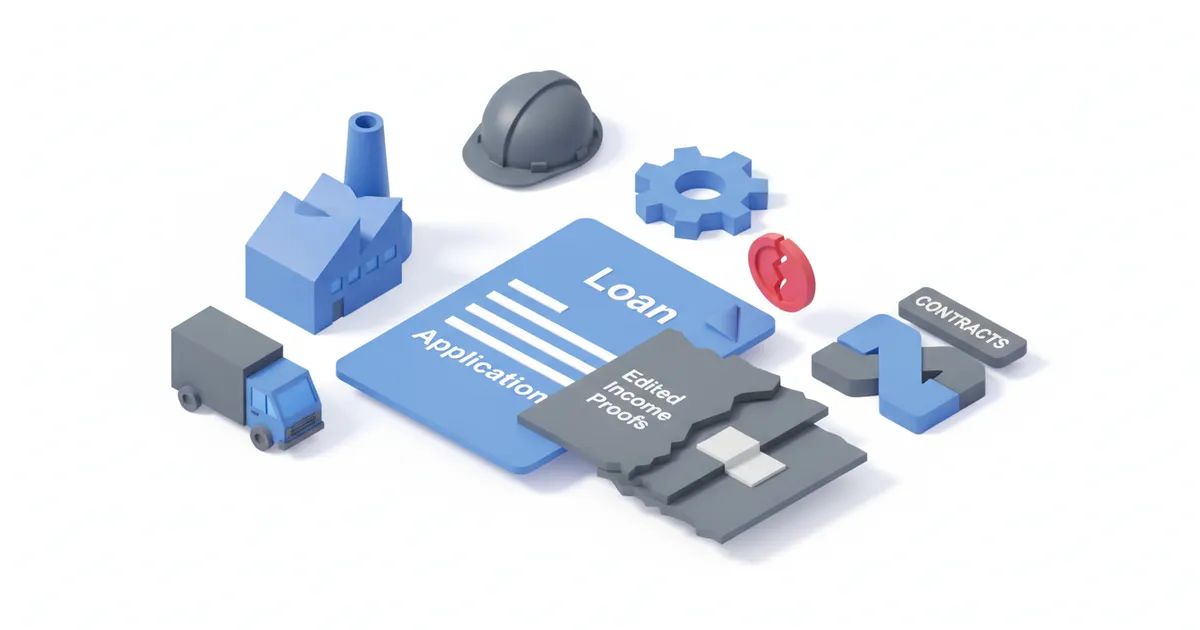
Loan application document tampering is rarely a perfect forgery. It is usually one edited number on one genuine document: a net pay raised on a payslip, a closing balance rewritten on a bank statement, a turnover line changed in a set of accounts. The edit survives a visual read. It rarely survives a comparison with a second document or an official register, which is why the reviewer's job is to compare fields, not to stare at one PDF.
This article is for informational purposes only and does not constitute legal, financial, or regulatory advice. Regulatory references are accurate as of the publication date. Consult a qualified professional for guidance specific to your situation.
Where does tampering appear in a loan file?
Tampering concentrates on the documents that drive the affordability decision: payslips, bank statements, tax documents and, for businesses, financial statements. Each of them is a PDF the applicant controls, so each can be edited with a free tool. A single edited figure then has to stay consistent with everything else in the file, and that is where it breaks.
Under the UK rules, a lender must base its assessment on enough information to judge whether the borrower can repay (FCA Handbook, CONC 5.2A). Giving false information to obtain credit can amount to fraud by false representation (Fraud Act 2006, section 2). The lender's duty and the applicant's offence meet in the same place: the documents.
| Document | Field most often edited | Why it pays off for the applicant |
|---|---|---|
| Payslip | Net pay, gross pay, employer name | Raises declared affordability |
| Bank statement | Credit lines, closing balance, account holder | Shows income or savings that are not there |
| Tax document | Total income, tax year | Supports a higher stated income |
| SME accounts | Turnover, profit, creditors | Raises borrowing capacity |
| Employment letter | Salary, start date, contract type | Passes probation or tenure rules |
Which cross-checks expose an edited payslip?
An edited payslip is caught by comparing its net pay with the matching credit on the bank statement. The payslip says what was paid. The statement shows what arrived, on which date and from which payer name. If the two disagree, one of them has been altered or the income is not what was declared.
The consumer file offers four reliable comparisons:
- Net pay vs the bank credit. The payslip net amount should match one credit within the pay period, from a payer name that resembles the employer. A payslip showing 2,850 and a statement showing 2,215 is a mismatch to resolve, not a rounding issue.
- Year-to-date gross vs the tax record. Cumulative gross on a December payslip should be in line with the annual income on the tax document for that year. Large gaps point to an edited payslip or an undeclared change of employment.
- Employer name vs the register. The employer on the payslip should exist and be active at Companies House. A dissolved company or a name that differs by one word is a flag.
- Statement arithmetic. Opening balance plus credits minus debits must equal the closing balance, and one month's closing balance must equal the next month's opening balance. Editors who change one credit often forget the running balance.
For the detailed field mapping across payslip, tax notice and statement, see our guide to income consistency.
Which cross-checks expose edited SME financials?
For a business loan, the strongest comparison is turnover on the accounts against turnover implied by bank credits and filed tax returns. Accounts describe a past year, bank statements describe the recent months, and tax returns sit in between. A company cannot easily alter all three coherently.
| Check | Field A | Field B | What a mismatch looks like | Next step |
|---|---|---|---|---|
| Turnover | Accounts, turnover | Business bank credits, 12 months | Credits cover well under declared turnover | Ask for the ledger and VAT returns |
| Filed accounts | PDF supplied | Version on the public register | Different figures or filing date | Use the register copy, ask for an explanation |
| Director identity | Name on loan form | Officers list on the register | Person not listed or resigned | Pause, re-run identity checks |
| Creditors | Balance sheet, bank loans | Credit bureau or bank statements | Repayments with no matching liability | Add the debt, recompute capacity |
| Tax position | Tax compliance letter | Tax account statement | Arrears not mentioned | Request a current statement |
Our article on SME loan documents and their cross-checks goes through the field-by-field logic, and fake financial statements in business lending covers the balance sheet side.
Can official sources replace the PDF?
Yes, and that is the most robust answer to tampering: stop relying on a document the applicant could edit and obtain the same data from the source. The revised Payment Services Directive allows a customer to give explicit consent to a regulated account information service to share account data (Directive (EU) 2015/2366, Article 67); the UK carried the same model into the Payment Services Regulations 2017. A lender that pulls transactions through open banking sees the credits directly, with no statement PDF to edit.
Two limits apply. Open banking covers accounts the applicant chooses to connect, so a second, undisclosed account stays invisible. And it proves what moved through the account, not that the income is durable. It replaces the statement check; it does not replace the affordability judgement.
What does a mismatch look like, and what does the reviewer do?
A mismatch is any gap between two fields that should agree, beyond a tolerance you set in advance. The tolerance matters. Overtime, bonuses and timing differences produce honest gaps, so the rule should define what counts as explainable before anyone is accused of anything.
A workable handling sequence:
- Classify the gap. Timing, rounding and one-off payments are explainable. A missing credit, a wrong payer name or broken balance arithmetic are not.
- Request a source copy. Ask for the document directly from the employer or bank, or switch to an account-data connection.
- Re-run the whole file. One edited document makes the others less trustworthy. Re-check identity, address and the other income evidence.
- Decide and record. Decline, reduce the amount or proceed with a documented explanation. Keep the comparison results with the decision.
- Escalate suspicion properly. If the gap looks deliberate, follow your internal fraud and money laundering reporting route. Do not tell the applicant that a report is being considered.
What users ask about edited income proofs
People applying for credit often ask whether a bank can really tell that a payslip was changed. In practice, the bank rarely looks at pixels first. It compares the payslip with the account statement and the tax record, and the arithmetic usually gives the edit away before any technical analysis starts.
A second common question, from brokers and small lenders, is whether it is worth checking every file or only suspicious ones. Checking every file with the same fixed comparisons is cheaper than investigating after a default, and it avoids picking on particular applicants. A fixed list also produces a record you can show a regulator.
A third question: what if the applicant simply made an honest mistake? Then the documented explanation and a source copy resolve it. The comparison does not accuse; it creates the point at which a person has to explain.
What these checks cannot do
A consistent forgery passes consistent checks. If an applicant edits the payslip, the statement and the tax document with matching numbers, comparing them to each other finds nothing. That is why at least one comparison in the file should use a source the applicant does not control: a register, a tax-authority service or account data pulled with consent.
Likewise, a register lookup shows that a company exists and who its officers are. It does not show that a PDF on your desk came from that company.
How CheckFile fits into this
CheckFile compares fields across the documents in a file (names, amounts, dates, identifiers) and flags the ones that disagree, so the reviewer starts from the mismatch rather than from a blank page. For files where you suspect edited or generated documents, the document tampering detection page describes AI-generation signals as a complement to your existing controls. Lenders can see how this applies to financing and leasing files and to bank onboarding, and the broader sector context is in our industry verification guide. Pricing is on the tarifs page.
Frequently Asked Questions
What is loan application document tampering?
It is the alteration of a document supplied with a credit application, such as raising the net pay on a payslip or rewriting a bank balance, so the applicant appears to qualify. Most cases involve a genuine document with one or two edited fields.
How do lenders detect edited income proofs?
They compare fields across documents: payslip net pay against the bank credit, annual income against the tax record, employer against the company register. Mismatches that exceed a pre-set tolerance trigger a request for a source copy.
Is open banking a reliable alternative to bank statements?
It removes the statement PDF, which is the document most easily edited, and gives the lender transaction data directly. It only covers accounts the applicant connects, and it does not judge whether the income will continue.
Can cross-checks prove a document is authentic?
No. They show whether documents agree with each other and with official sources. A coherent forgery across all documents can pass, so keep at least one source the applicant does not control.
What should a reviewer do on finding a mismatch?
Classify the gap, request a source copy, re-run the rest of the file, record the decision, and escalate through your fraud reporting route if the gap looks deliberate.
For where this fits in the CheckFile offering, see our AI and deepfake detection approach.
Stay informed
Get our compliance insights and practical guides delivered to your inbox.